 Conao3 Notes
2025年からを生きるためのEmacs入門
東京Emacs勉強会 サマーフェスティバル2024 の登壇資料です。
自己紹介 - Conao3
-
転職しました!
- 広島 → 目黒
- Pythonista → Clojurian
- せっかく上京してきたので遊んでくれる人募集してます!
- 具体的にはVim-jpの #event-ramen で「ラーメン行きたい」と呟くと召喚できます!
-
趣味
- EmacsLisp
- Author: leaf, seml-mode, org-generate, keg,,,
- Co-maintainer: ddskk, cask,,,
- EmacsLisp
-
興味
- Lisp, Type, Compiler, GraphQL
2020年代の Emacs 入門
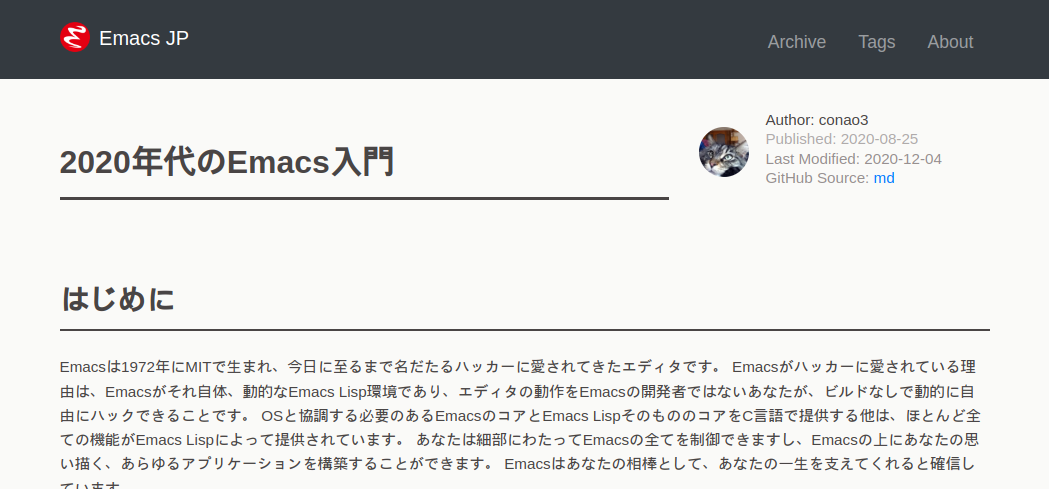
- 基本構成
ivy,flycheck,company
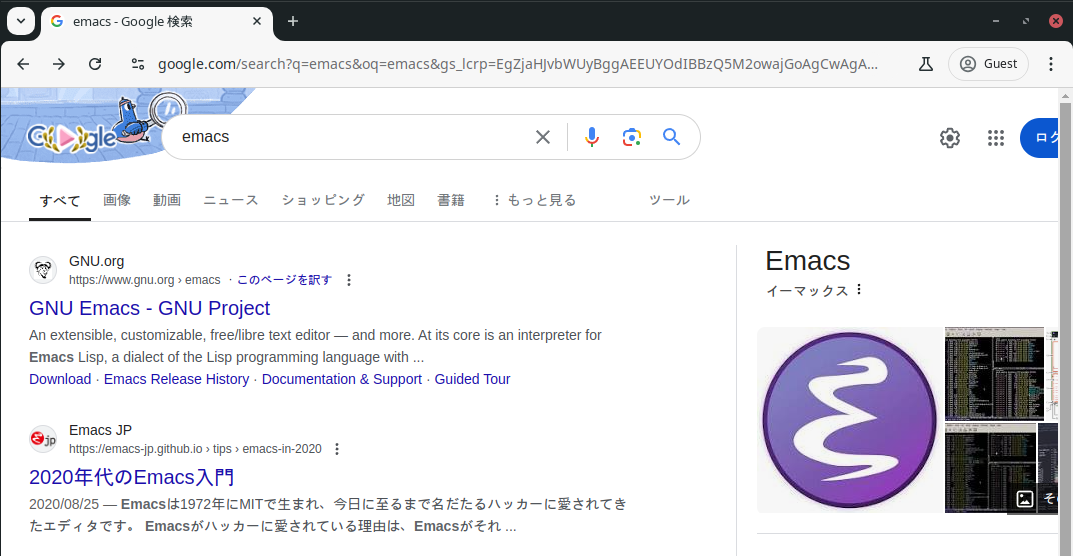
公開時、 vertico が新進気鋭で盛り上がっていましたが、あえて保守的なパッケージ選定をしました。
そのおかげか Emacs 入門記事としてはヒットし、 Google 検索でも公式の直後に表示されるようになりました。
(Emacs-JP 名義だったことも多分に影響しています)
Emacs で始める Clojure 入門
 Emacs と Clojure の相性はとても良いです。
正確には Clojure hacker たちの時間が大量に Emacs とそのエコシステムに投下されていることにより、この環境があります。
Ref: M-x Reloaded: The Second Golden Age of Emacs - bbatsov
- bbatsov: Robocop, cider, projectile作者
Yesterday I wrote that I think Emacs is currently experiencing its (second) Golden Age. … I’m reasonably sure that Clojure played a major role in the success of Emacs in recent years by attracting both new users and new contributors to the project.
昨日、Emacsは現在(2度目の)黄金期を迎えていると思うと書いた。 … 私は、Clojureが新しいユーザーと新しい貢献者の両方をプロジェクトに引き寄せることによって、近年のEmacsの成功に大きな役割を果たしたと確信している。
実際のところ、 Emacs Lisp を覚えた次に Lisp を使ってなにかスタンドアロンのアプリを作りたいとき、 Clojure はとても良い選択肢になります。 Clojure は イミュータブルなデータ構造を持つ言語として設計されており、 JVM の資産を使いつつ、REPL を通して対話的に爆速開発することができます。
さて、、 Emacs 使っているよ! という人
風になりたい奴だけが Emacs を使えばいい
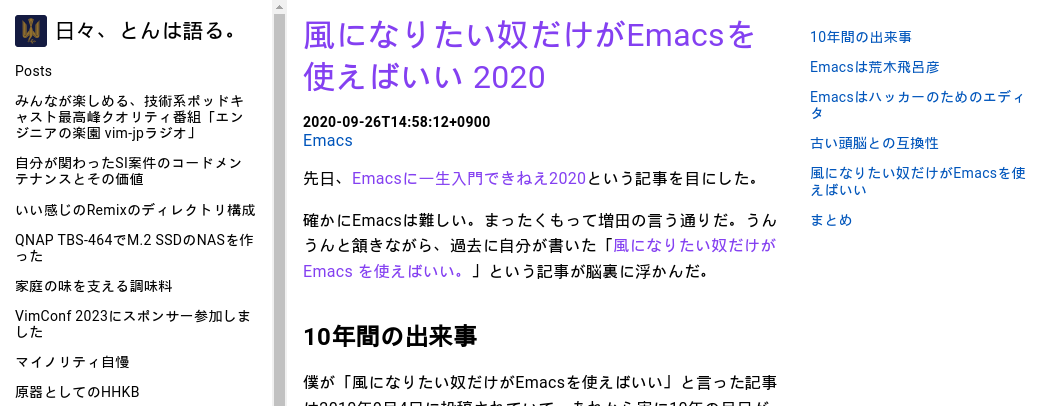
私選おすすめ tomoya さん記事。
確かに Emacs の初期学習コストは高い。 しかし、そのコストを乗り越えて余るほどの力を与えてくれます。
風になるかどうか決めるのはあなた次第です!
Emacs で始める Clojure 入門
→ Clojure で始める Emacs 入門 (2025年からを生きるためのEmacs入門)
2020年代のEmacs入門 はプログラミングも初めてですという人向けにあえて保守的なパッケージを選定していました。 一方で、私が既に移行を終えているパッケージがおすすめされており、コミュニティでのサポート時に多少の心苦しさを感じていました。
今回は中級者 (プログラミング経験あり&多少のトラブルは歓迎(?)) を想定し、私が実際に使っているパッケージを紹介し、2025年からのモダン Emacs 環境を構築します。 なお、この記事では 2020年代のEmacs入門 の「Emacs設定ファイル」に対応するところから進めますので、それ以前の章については先の記事を参照して頂ければと思います。
なお、この記事のスニペットをコピペしてできあがる init.el は conao3/.emacs.d.2025 に置いてあります。
Build Emacs
Emacs をビルドします。 この方法が一番確実に動きます。
具体的には、Elispの定義ジャンプでEmacsのコアであるC言語のソースに飛ぶ挙動が設定なしで動く。 また、自分でビルドするので、TreesitterやXWidgets、NativeCompile、ImageMagick統合など楽しい機能を有効にできます。
~/.local/work を作業ディレクトリとして、 Emacs をビルドします。
emacs というフォルダに Emacs のソースツリーをキャッシュとして持っておき、日付付きのフォルダにコピーしてそのフォルダでビルドします。
ビルド後、 Mac の場合はソースツリーの nextstep というフォルダに Emacs.app ができているはずなので、適宜 /Applications 配下にコピーしてインストールします。
mkdir -p ~/.local/work
cd ~/.local/work
git clone https://github.com/emacs-mirror/emacs.git
./build-emacs
build-emacs スクリプトは以下です。
date コマンドはBSD版とGNU版の差異が大きいので、適宜環境に合わせて下さい。バックアップを取る目的で日付が欲しいだけです。
また、HEADをビルドするようになっていますが、まずは安定版をビルドしても良いかもしれません。
安定版はタグが付いており、 emacs-xx.y (yは1以上) が安定版です。
#!/usr/bin/env bash

set -euxo pipefail -o posix

today=$(date +'%Y%m%d')

cd emacs
git fetch --all
git checkout master
git merge origin/master
git clean -fdx
cd ..

rm -rf "emacs-${today}"
cp -r emacs "emacs-${today}"

cd "emacs-${today}"
./autogen.sh
./configure --prefix $HOME/.local --with-tree-sitter --with-xwidgets --with-native-compilation=aot --with-imagemagick
make -j6
make install -j6

echo '=== Build Complete ==='
leaf - modern use-package
Emacs29から use-package が builtin になったため、 leaf がインストールしやすくなりました (えっ)
(eval-and-compile
  (customize-set-variable
   'package-archives '(("gnu" . "https://elpa.gnu.org/packages/")
                       ("melpa" . "https://melpa.org/packages/")))
  (package-initialize)
  (use-package leaf :ensure t)

  (leaf leaf-keywords
    :ensure t
    :init
    (leaf blackout :ensure t)
    :config
    (leaf-keywords-init)))

(leaf leaf-convert
  :doc "Convert many format to leaf format"
  :ensure t)
builtinパッケージの設定
現代のソフトウェアとして求められている挙動に近づくように設定する。
cus-edit - customize の設定
(leaf cus-edit
  :doc "tools for customizing Emacs and Lisp packages"
  :custom `((custom-file . ,(locate-user-emacs-file "custom.el"))))
cus-start - EmacsのC言語部分で定義された変数などの定義
(leaf cus-start
  :doc "define customization properties of builtins"
  :preface
  (defun c/redraw-frame nil
    (interactive)
    (redraw-frame))

  :bind (("M-ESC ESC" . c/redraw-frame))
  :custom '((user-full-name . "Naoya Yamashita")
            (user-mail-address . "conao3@gmail.com")
            (user-login-name . "conao3")
            (create-lockfiles . nil)
            (tab-width . 4)
            (debug-on-error . t)
            (init-file-debug . t)
            (frame-resize-pixelwise . t)
            (enable-recursive-minibuffers . t)
            (history-length . 1000)
            (history-delete-duplicates . t)
            (scroll-preserve-screen-position . t)
            (scroll-conservatively . 100)
            (mouse-wheel-scroll-amount . '(1 ((control) . 5)))
            (ring-bell-function . 'ignore)
            (text-quoting-style . 'straight)
            (truncate-lines . t)
            (use-dialog-box . nil)
            (use-file-dialog . nil)
            (menu-bar-mode . t)
            (tool-bar-mode . nil)
            (scroll-bar-mode . nil)
            (indent-tabs-mode . nil))
  :config
  (defalias 'yes-or-no-p 'y-or-n-p)
  (keyboard-translate ?\C-h ?\C-?))
autorevert - Emacs外でファイルが更新されたときに更新する
(leaf autorevert
  :doc "revert buffers when files on disk change"
  :global-minor-mode global-auto-revert-mode)
delsel - 選択状態で入力したときに選択範囲を消す
(leaf delsel
  :doc "delete selection if you insert"
  :global-minor-mode delete-selection-mode)
paren - カッコのハイライト
(leaf paren
  :doc "highlight matching paren"
  :global-minor-mode show-paren-mode)
simple - 編集機能の設定
(leaf simple
  :doc "basic editing commands for Emacs"
  :custom ((kill-read-only-ok . t)
           (kill-whole-line . t)
           (eval-expression-print-length . nil)
           (eval-expression-print-level . nil)))
files - ファイル入出力の設定
(leaf files
  :doc "file input and output commands for Emacs"
  :global-minor-mode auto-save-visited-mode
  :custom `((auto-save-file-name-transforms . '((".*" ,(locate-user-emacs-file "backup/") t)))
            (backup-directory-alist . '((".*" . ,(locate-user-emacs-file "backup"))
                                        (,tramp-file-name-regexp . nil)))
            (version-control . t)
            (delete-old-versions . t)
            (auto-save-visited-interval . 1)))
startup - 起動時の設定
(leaf startup
  :doc "process Emacs shell arguments"
  :custom `((auto-save-list-file-prefix . ,(locate-user-emacs-file "backup/.saves-"))))
savehist - ミニバッファ履歴の保存
(leaf savehist
  :doc "Save minibuffer history"
  :custom `((savehist-file . ,(locate-user-emacs-file "savehist")))
  :global-minor-mode t)
flymake - コード診断機能
(leaf flymake
  :doc "A universal on-the-fly syntax checker"
  :bind ((prog-mode-map
          ("M-n" . flymake-goto-next-error)
          ("M-p" . flymake-goto-prev-error))))
which-key - キーバインドの補完表示
(leaf which-key
  :doc "Display available keybindings in popup"
  :ensure t
  :global-minor-mode t)
exec-path-from-shell - シェルから環境変数を引き継ぐ
(leaf exec-path-from-shell
  :doc "Get environment variables such as $PATH from the shell"
  :ensure t
  :defun (exec-path-from-shell-initialize)
  :custom ((exec-path-from-shell-check-startup-files)
           (exec-path-from-shell-variables . '("PATH" "GOPATH" "JAVA_HOME")))
  :config
  (exec-path-from-shell-initialize))
ns - Mac用設定
x の下のモディファイアキーは Meta じゃないとねというこだわりがある人向け
(leaf ns
  :doc "next/open/gnustep / macos communication module"
  :when (eq 'ns window-system)
  :custom ((ns-control-modifier . 'control)
           (ns-option-modifier . 'super)
           (ns-command-modifier . 'meta)
           (ns-right-control-modifier . 'control)
           (ns-right-option-modifier . 'hyper)
           (ns-right-command-modifier . 'meta)
           (default-frame-alist . '((ns-appearance . dark)
                                    (ns-transparent-titlebar . t)))))
vertico - 新時代 fuzzy-finder
Anything/Helm → ivy → vertico and friends
vertico - 補完候補を縦に並べる
(leaf vertico
  :doc "VERTical Interactive COmpletion"
  :ensure t
  :global-minor-mode t)
marginalia - 補完候補について付随情報を追加する
(leaf marginalia
  :doc "Enrich existing commands with completion annotations"
  :ensure t
  :global-minor-mode t)
consult - 補完候補を生成する
(leaf consult
  :doc "Consulting completing-read"
  :ensure t
  :hook (completion-list-mode-hook . consult-preview-at-point-mode)
  :defun consult-line
  :preface
  (defun c/consult-line (&optional at-point)
    "Consult-line uses things-at-point if set C-u prefix."
    (interactive "P")
    (if at-point
        (consult-line (thing-at-point 'symbol))
      (consult-line)))
  :custom ((xref-show-xrefs-function . #'consult-xref)
           (xref-show-definitions-function . #'consult-xref)
           (consult-line-start-from-top . t))
  :bind (;; C-c bindings (mode-specific-map)
         ([remap switch-to-buffer] . consult-buffer) ; C-x b
         ([remap project-switch-to-buffer] . consult-project-buffer) ; C-x p b

         ;; M-g bindings (goto-map)
         ([remap goto-line] . consult-goto-line)    ; M-g g
         ([remap imenu] . consult-imenu)            ; M-g i
         ("M-g f" . consult-flymake)

         ;; C-M-s bindings
         ("C-s" . c/consult-line)       ; isearch-forward
         ("C-M-s" . nil)                ; isearch-forward-regexp
         ("C-M-s s" . isearch-forward)
         ("C-M-s C-s" . isearch-forward-regexp)
         ("C-M-s r" . consult-ripgrep)

         (minibuffer-local-map
          :package emacs
          ("C-r" . consult-history))))
affe - 非同期で補完候補を生成する
(leaf affe
  :doc "Asynchronous Fuzzy Finder for Emacs"
  :ensure t
  :custom ((affe-highlight-function . 'orderless-highlight-matches)
           (affe-regexp-function . 'orderless-pattern-compiler))
  :bind (("C-M-s r" . affe-grep)
         ("C-M-s f" . affe-find)))
orderless - 順序違いの絞り込みスタイルの提供
(leaf orderless
  :doc "Completion style for matching regexps in any order"
  :ensure t
  :custom ((completion-styles . '(orderless))
           (completion-category-defaults . nil)
           (completion-category-overrides . '((file (styles partial-completion))))))
embark - 補完候補に対するアクションの提供
(leaf embark-consult
  :doc "Consult integration for Embark"
  :ensure t
  :bind ((minibuffer-mode-map
          :package emacs
          ("M-." . embark-dwim)
          ("C-." . embark-act))))
corfu - インライン補完機能の提供
(leaf corfu
  :doc "COmpletion in Region FUnction"
  :ensure t
  :global-minor-mode global-corfu-mode corfu-popupinfo-mode
  :custom ((corfu-auto . t)
           (corfu-auto-delay . 0)
           (corfu-auto-prefix . 1)
           (corfu-popupinfo-delay . nil)) ; manual
  :bind ((corfu-map
          ("C-s" . corfu-insert-separator))))
cape - インライン補完候補の生成
(leaf cape
  :doc "Completion At Point Extensions"
  :ensure t
  :config
  (add-to-list 'completion-at-point-functions #'cape-file))
eglot - LSPクライアント
Emacs builtin になった eglot を利用します。
eglot-booster というRustのプロジェクトをビルドしてPATHを通すと爆速になります。言語サーバーとのJSON-RPC通信のJSONをバイトコンパイルしてくれる。
eglotには言語サーバーの自動インストール機能はないため、Emacs外で自分でインストールして、 PATH を通す必要があります。
この点については私が自動インストール機能を提供するソフトウェアを書く予定なので、完成したら追加します。
(leaf eglot
  :doc "The Emacs Client for LSP servers"
  :hook ((clojure-mode-hook . eglot-ensure))
  :custom ((eldoc-echo-area-use-multiline-p . nil)
           (eglot-connect-timeout . 600)))

(leaf eglot-booster
  :when (executable-find "emacs-lsp-booster")
  :vc ( :url "https://github.com/jdtsmith/eglot-booster")
  :global-minor-mode t)
puni - 構造的編集
paredit, smartparens後継。
(leaf puni
  :doc "Parentheses Universalistic"
  :ensure t
  :global-minor-mode puni-global-mode
  :bind (puni-mode-map
         ;; default mapping
         ;; ("C-M-f" . puni-forward-sexp)
         ;; ("C-M-b" . puni-backward-sexp)
         ;; ("C-M-a" . puni-beginning-of-sexp)
         ;; ("C-M-e" . puni-end-of-sexp)
         ;; ("M-)" . puni-syntactic-forward-punct)
         ;; ("C-M-u" . backward-up-list)
         ;; ("C-M-d" . backward-down-list)
         ("C-)" . puni-slurp-forward)
         ("C-}" . puni-barf-forward)
         ("M-(" . puni-wrap-round)
         ("M-s" . puni-splice)
         ("M-r" . puni-raise)
         ("M-U" . puni-splice-killing-backward)
         ("M-z" . puni-squeeze))
  :config
  (leaf elec-pair
    :doc "Automatic parenthesis pairing"
    :global-minor-mode electric-pair-mode))
cider - Clojure編集環境
Clojure要素を入れないと。。(義務感)
(leaf cider
  :doc "Clojure Interactive Development Environment that Rocks"
  :ensure t)
vim-jp-radio - ポッドキャストクライアント
楽しいのでみんな聞こう! (Linuxで開発したのだが、Macでの挙動が怪しい -> iTunesどこ?って聞いてくる)
(leaf vim-jp-radio
  :vc ( :url "https://github.com/vim-jp-radio/vim-jp-radio.el"))
デモ
ciderを少し使ってみます。
軽量Clojureである babashka をインストールします。
インストール方法は 公式 を参照してください。
プロジェクトの作成
mkdir -p ~/dev/tmp/babashka
cd ~/dev/tmp/babashka
touch bb.edn
echo '#!/usr/bin/env bb' > bbdate
chmod +x bbdate
cider-jack-in - REPLの接続
bbdate ファイルを開き、 C-c M-j (cider-jack-in) を実行します。
REPLウィンドウが開き、対話しながら開発することができます。
bbdateの編集
以下内容で保存します。
#!/usr/bin/env bb

(defn main [args]
  (let [date (java.time.LocalDateTime/now)
        formatter (java.time.format.DateTimeFormatter/ofPattern (first args))]
    (format. date formatter)))

(println (main *command-line-args*))
実行
$ ./bbdate yyyyMMdd
20240804

$ time ./bbdate yyyyMMdd
20240804
real 0.02
user 0.00
sys 0.01
Happy hacking, with Emacs
Emacsこわくないよ! なにか質問等あれば Emacs-jp or Vim-jp(#tech-emacs) にて!
近々Clojureの勉強会をしようと思っているので、興味がある方はVim-jpの #tech-lisp にぜひぜひ参加お願いします!