 Conao3 Notes
Seven fun new features in Emacs 28, shown in screenshots
I picked seven new features from the Emacs 28 NEWS that you notice the moment you use them, and this post shows each one in a screenshot of Emacs 28.2.
Most of them make plain emacs -Q easier to drive, such as fido-vertical-mode, which lists minibuffer completions vertically, and repeat-mode, which lets you type C-x o o o.
The NEWS lives in etc/NEWS.28 and runs to 3,981 lines.
I took every screenshot in Emacs 28.2 started with emacs -Q, and I include the code for each feature that needs a setting.
List minibuffer completions vertically
With fido-vertical-mode on, minibuffer completion candidates appear in a vertical list under your input.
It matches candidates that contain the typed characters in order, so list-b also finds list-abbrevs.
(fido-vertical-mode 1)
The 1/7 at the start says the first of seven candidates is selected.
As (C-x C-b) next to list-buffers shows, M-x completion shows key bindings, so you pick up the keys of the commands you use often.
Add the kind and the first doc line to completions
Set completions-detailed to t, and the completion list of commands such as C-h o shows the kind of each candidate and the first line of its documentation.
(setq completions-detailed t)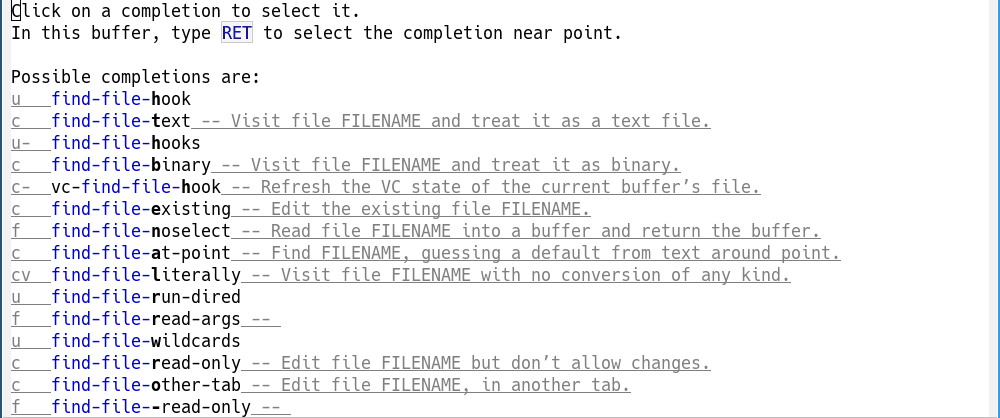
The screenshot shows the list for C-h o find-file- TAB.
The c, f and u on the left mark commands, functions and user options, so you can compare find-file-text with find-file-literally without opening their documentation.
Repeat a key without its prefix
With repeat-mode on, you can type C-x o o instead of C-x o C-x o, and C-x u u instead of C-x u C-x u.
(repeat-mode 1)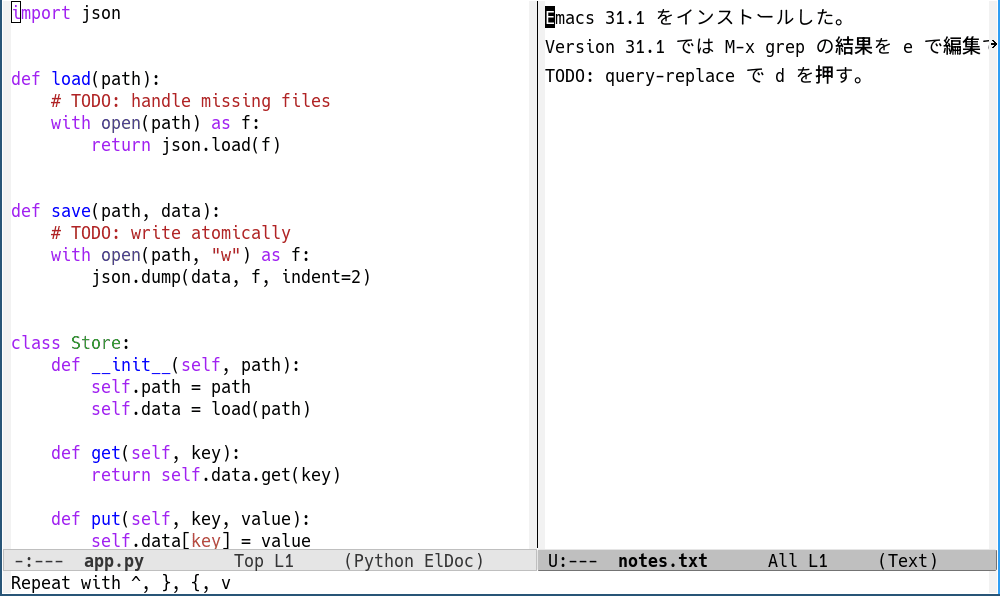
Here I split the frame into two windows and typed C-x { { { {, which narrowed the right window four times.
Repeat with ^, }, {, v in the echo area lists the keys you can keep pressing, and any other key ends the repetition.
Browse functions by topic, with examples and results
shortdoc is a cheat sheet that lists functions by topic, such as strings or lists, each with examples and their results.
Open it with M-x shortdoc-display-group and a topic, or with the button in a *Help* buffer.
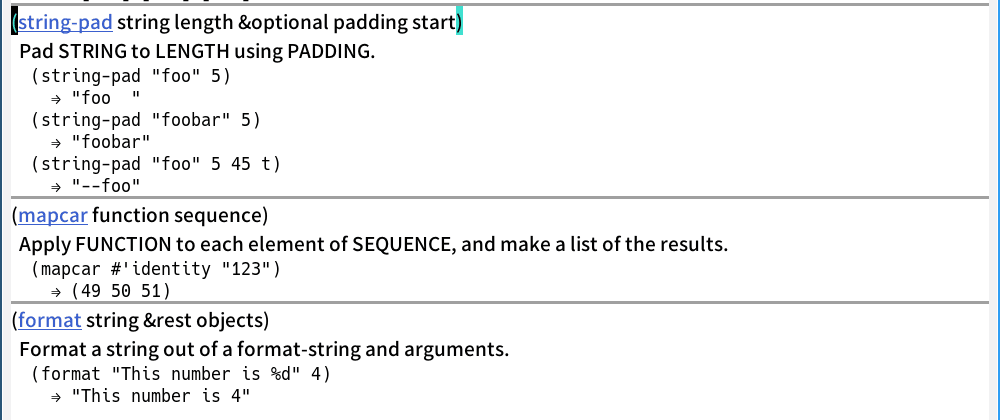
The screenshot shows the string group, where (string-pad "foo" 5) is listed with its result "foo ".
When you cannot remember the name of a function, you can find it from what you want to do.
Pick from the kill ring and paste
Press M-y when the previous command was not a yank, and you can choose an earlier kill in the minibuffer with completion.
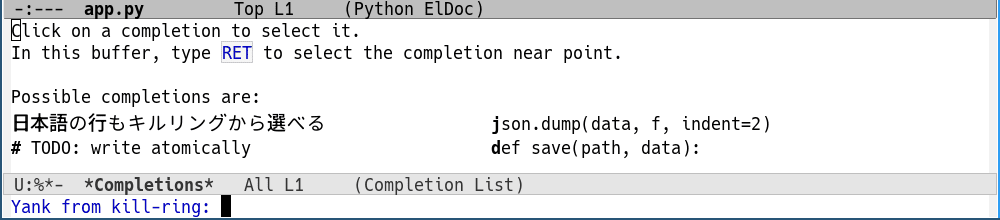
I put four strings into the kill ring and typed M-y TAB, and the *Completions* buffer lists all four.
Compile Emacs Lisp to native code
When Emacs is configured with --with-native-compilation, it uses libgccjit to compile Emacs Lisp to native code.
The Lisp code of Emacs itself becomes native code, and packages are compiled in the background after they are loaded.

C-h f find-file says native-compiled Lisp function, so this Emacs runs the native code of find-file.
(native-comp-available-p) tells you whether your Emacs supports it.
Open a context menu with a right click
With context-menu-mode on, a right click in a buffer opens a menu that fits the place you clicked.
(context-menu-mode 1)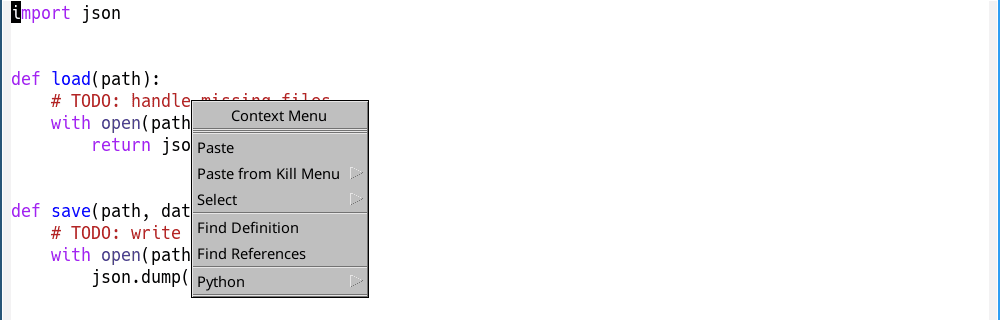
In a Python file, the menu has Find Definition, Find References and a Python submenu in addition to pasting and selecting.
Other changes worth a look
- Emoji support has improved, and emoji sequences such as skin tones and flags display as one glyph.
- The themes modus-operandi and modus-vivendi are now part of Emacs.
New features from Emacs 27 to the development version
I wrote one post in the same format for each Emacs release from 27 to the development version.