 Conao3 Notes
Seven fun new features in Emacs 29, shown in screenshots
I picked seven new features from the Emacs 29 NEWS that you notice the moment you use them, and this post shows each one in a screenshot of Emacs 29.4. Emacs 29 added tree-sitter support and brought Eglot and use-package into Emacs, so I start with those three and then move on to smaller treats such as an emoji list and an SQLite browser.
The NEWS lives in etc/NEWS.29 and runs to 4,395 lines.
I took every screenshot in Emacs 29.4 started with emacs -Q, and I include the code for each feature that needs a setting.
Highlight code with tree-sitter and look at the syntax tree
Emacs 29 can be built with the tree-sitter library, and it adds major modes based on tree-sitter such as python-ts-mode.
These modes highlight and indent from the parse result, so they also color things that regular expressions find hard to catch, such as function parameters.
Each language needs its own grammar library.
M-x treesit-install-language-grammar downloads and builds one, or you can put a library in a directory listed in treesit-extra-load-path.
(setopt treesit-font-lock-level 4)
(add-to-list 'major-mode-remap-alist '(python-mode . python-ts-mode))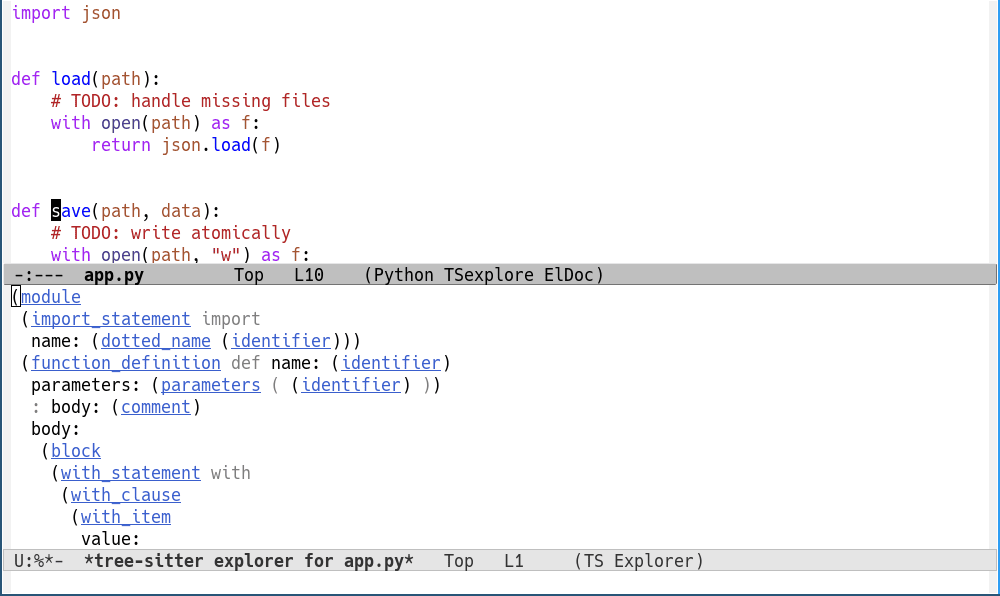
The top window shows app.py in python-ts-mode, where parameters such as path get a color too.
The bottom window is the syntax tree from M-x treesit-explore-mode, with function_definition and parameters under module.
Connect to a language server with Eglot
The LSP client Eglot is now part of Emacs, and with a language server installed, completion, documentation and error checking come from the server.
Run M-x eglot in a Python file, and Eglot finds and starts a language server such as pylsp.
(add-hook 'python-base-mode-hook #'eglot-ensure)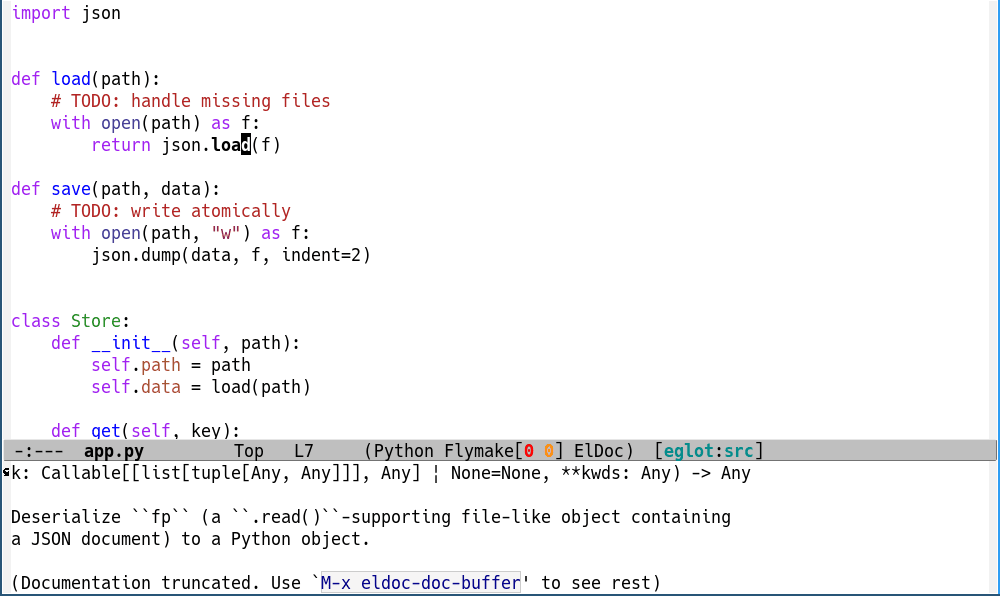
The mode line shows [eglot:src], and with point on json.load, the echo area shows the parameter types and the description that the language server returned.
Organize your configuration with use-package
use-package, the macro that groups the configuration of a package, is now part of Emacs too.
You can write your init.el with use-package without installing use-package first.
(use-package dired
  :custom (dired-listing-switches "-alh")
  :bind ("C-c d" . dired-jump))
Evaluating this form sets dired-listing-switches to "-alh" and binds C-c d to dired-jump.
Pick an emoji from a list
The emoji commands now live under C-x 8 e.
C-x 8 e l runs emoji-list, which shows a buffer of emoji grouped by category and inserts the one you choose into the buffer you came from.
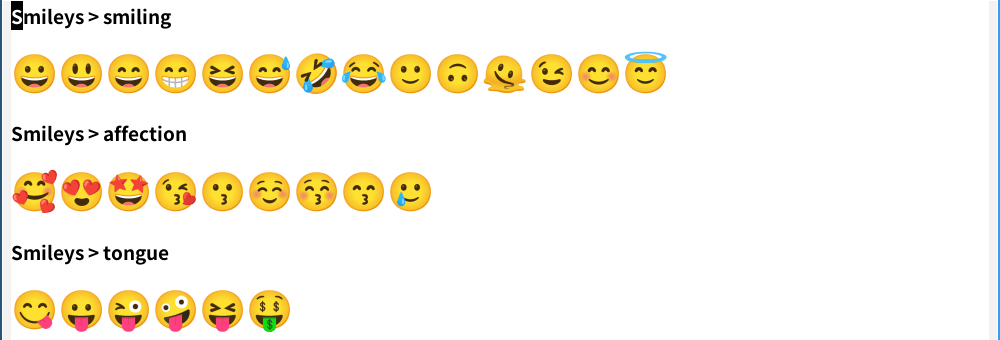
You can also search by name with C-x 8 e s, walk the categories with C-x 8 e e, and pick a recent emoji with C-x 8 e r.
Open an SQLite file and browse its tables
Emacs 29 can talk to SQLite, and sqlite-mode-open-file opens a database file.
It lists the tables, and RET on a table shows its rows.

The screenshot shows a todo table that I created with sqlite-open and sqlite-execute, and the Japanese value shows up as it is.
Show a cheat sheet of common keys
help-quick shows a cheat sheet of common keys at the bottom of the frame, and C-h C-q toggles it.
The sheet lists keys for files, buffers, windows, the mark and projects.
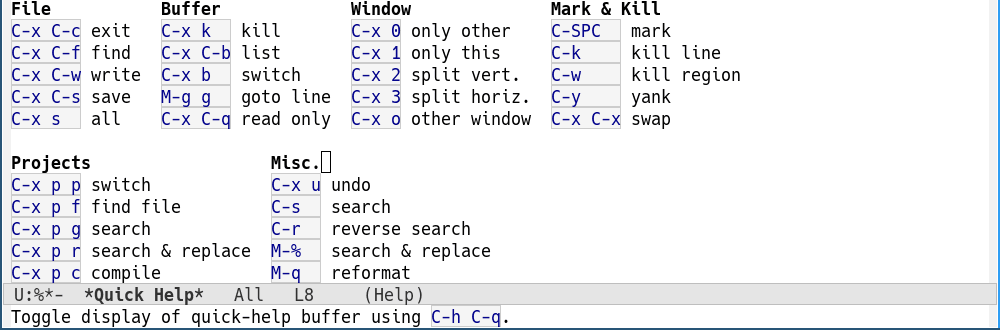
Keep it open next to someone who has just started with Emacs, and they can check the keys that confuse beginners, such as the difference between C-x 0 and C-x 1.
Enlarge the text in every buffer at once
C-x C-+ enlarges the text of the current buffer only, while C-x C-M-+ enlarges the text of every buffer, the mode line and the echo area.
C-x C-M-- shrinks it, and C-x C-M-0 restores the original size.
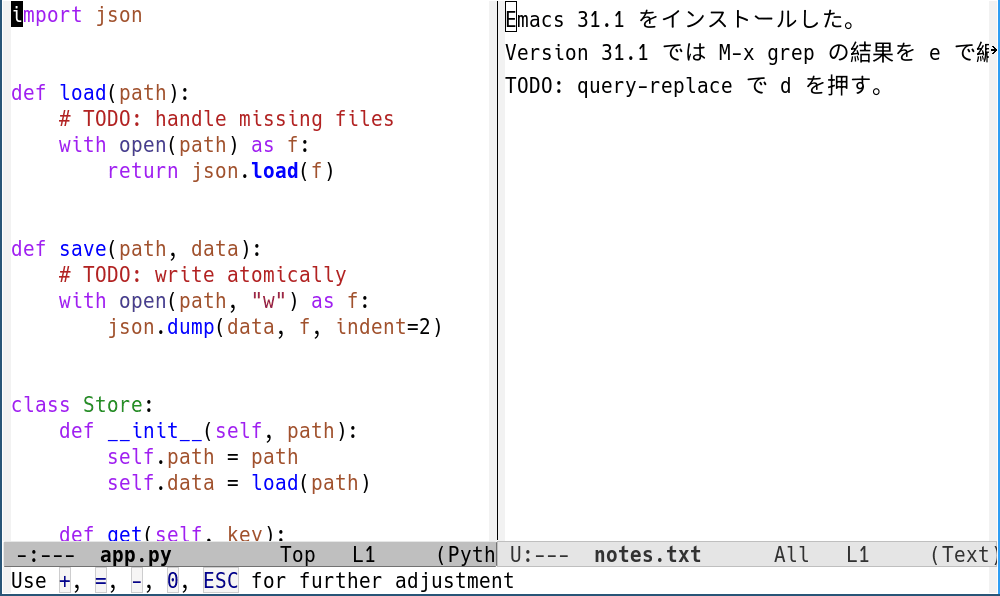
With two buffers side by side, one C-x C-M-+ enlarged both bodies and both mode lines by the same step.
When you share your screen to explain something, one key makes everything readable.
Other changes worth a look
- duplicate-line duplicates the current line, and
duplicate-dwimduplicates the region when one is active. - With pixel-scroll-precision-mode on, the mouse wheel or touchpad scrolls by pixels.
New features from Emacs 27 to the development version
I wrote one post in the same format for each Emacs release from 27 to the development version.